Prepared for CLS Sports • Green Park Sports Hub

Aerial Progress Viewer for Green Park, Austhorpe

A clear browser-based project record combining 3D model, orthophoto, DSM and Google Earth context. Built to show how repeat drone capture can give CLS Sports a simple, shareable view of site progress, surfacing work areas, access, build sequence and change over time without sending large files around.

CLS Sports logo
Vista Metrics logo
Viewer purpose Independent progress capture demo prepared specifically for CLS Sports review.

One link. Monthly progress record.

Each future capture can be added to this same viewer. CLS Sports would not need a new link each month — they simply open the same URL and click the relevant month to review the latest update or look back at previous captures.

Same URL every month
June capture selected The current Green Park capture is loaded below. Future monthly captures can be added into this same row so the viewer becomes a continuing project history rather than a one-off file transfer.
Prepared forCLS Sports
SiteGreen Park Sports Hub, Austhorpe, Leeds
Included outputs3D model, orthophoto, DSM, KMZ overlay and context imagery
Use caseSimple monthly progress record for site and stakeholder review

What this gives the project team

The value is not just the drone imagery. It is the ability to keep a repeatable visual record in one link that can be opened by contracts managers, directors, clients and site teams without specialist software.

Progress visibility

Repeat capture gives a clear record of what has changed between visits.

Reduced file friction

Large models, maps and imagery can be reviewed through a single browser page.

Site communication

Useful for showing access, work zones, surfacing progress and broader site context.

Project history

The same link can become a month-by-month record rather than a one-off image set.

Interactive 3D Site Model

The 3D model gives a quick visual understanding of the site layout, surrounding context, working areas and progress. It is useful for people who need to understand the site but are not opening CAD, GIS or survey software.

Download Browser Model Download Full Model

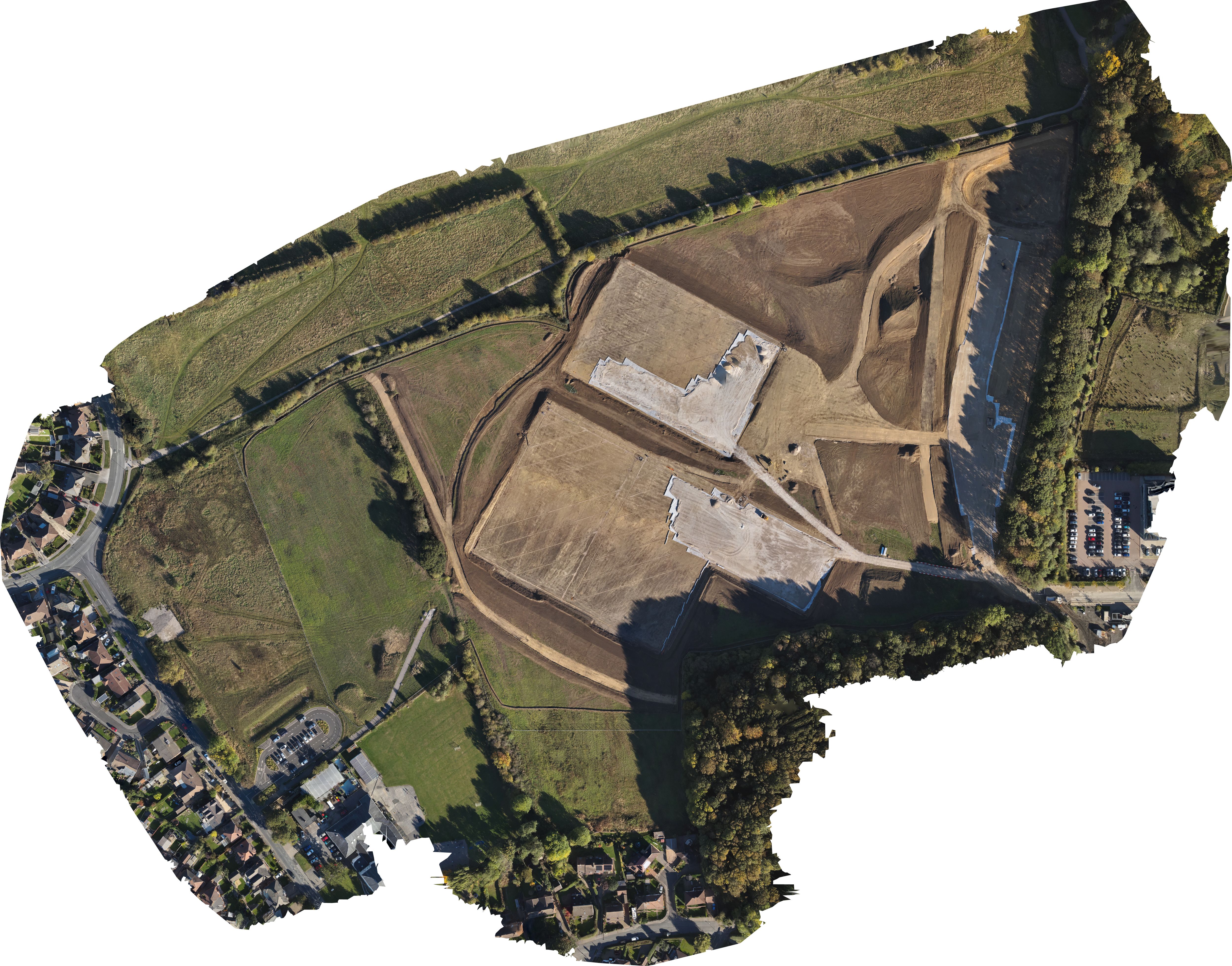
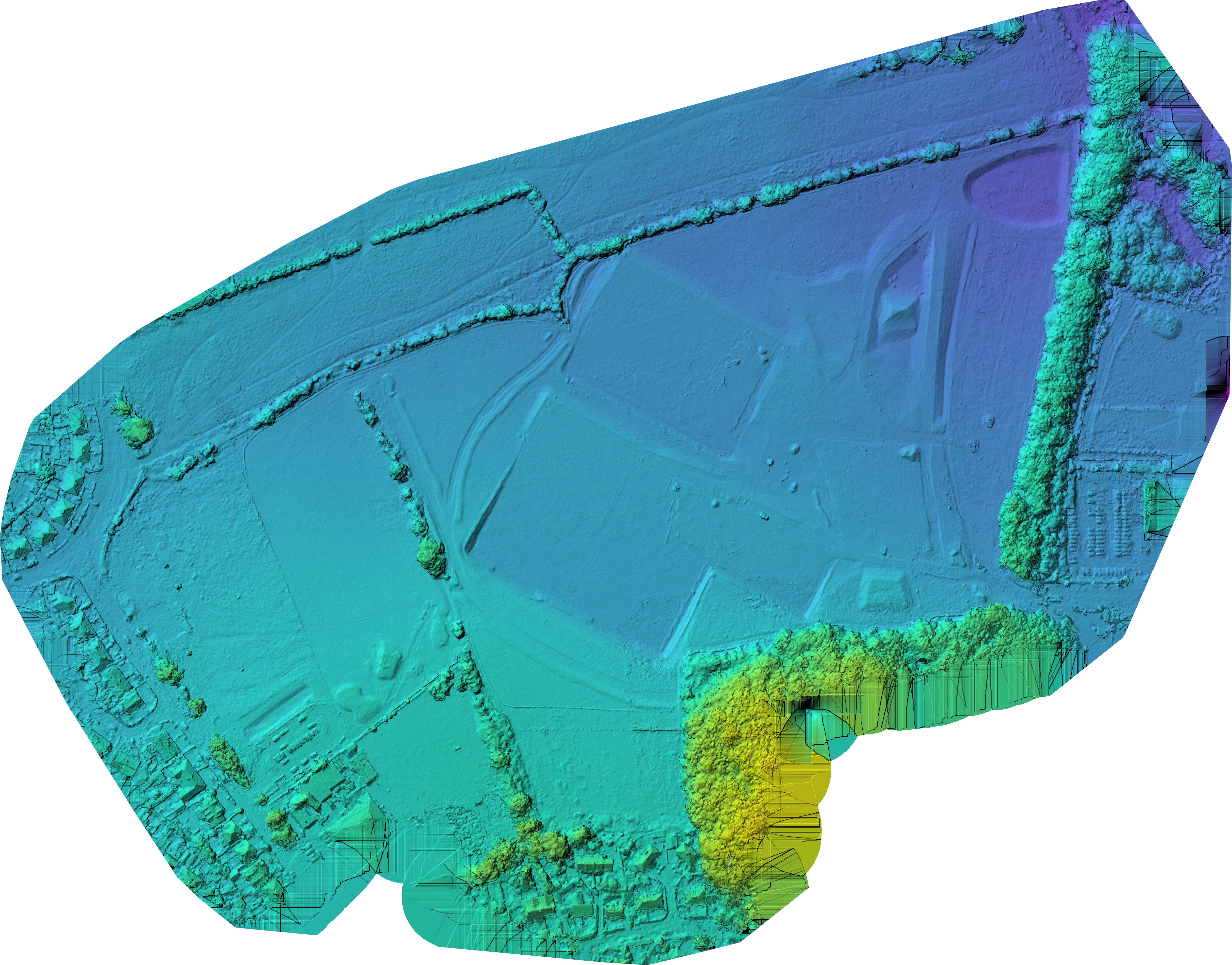
Orthophoto and DSM Slider

Drag the handle to compare the orthophoto with the DSM. The orthophoto gives a clean plan-view record of the works; the DSM adds surface context, helping the team understand broad changes in levels, formation and site shape.

Green Park orthophoto Green Park DSM preview
DSM surface contextOrthophoto site record
Download Orthophoto Download DSM

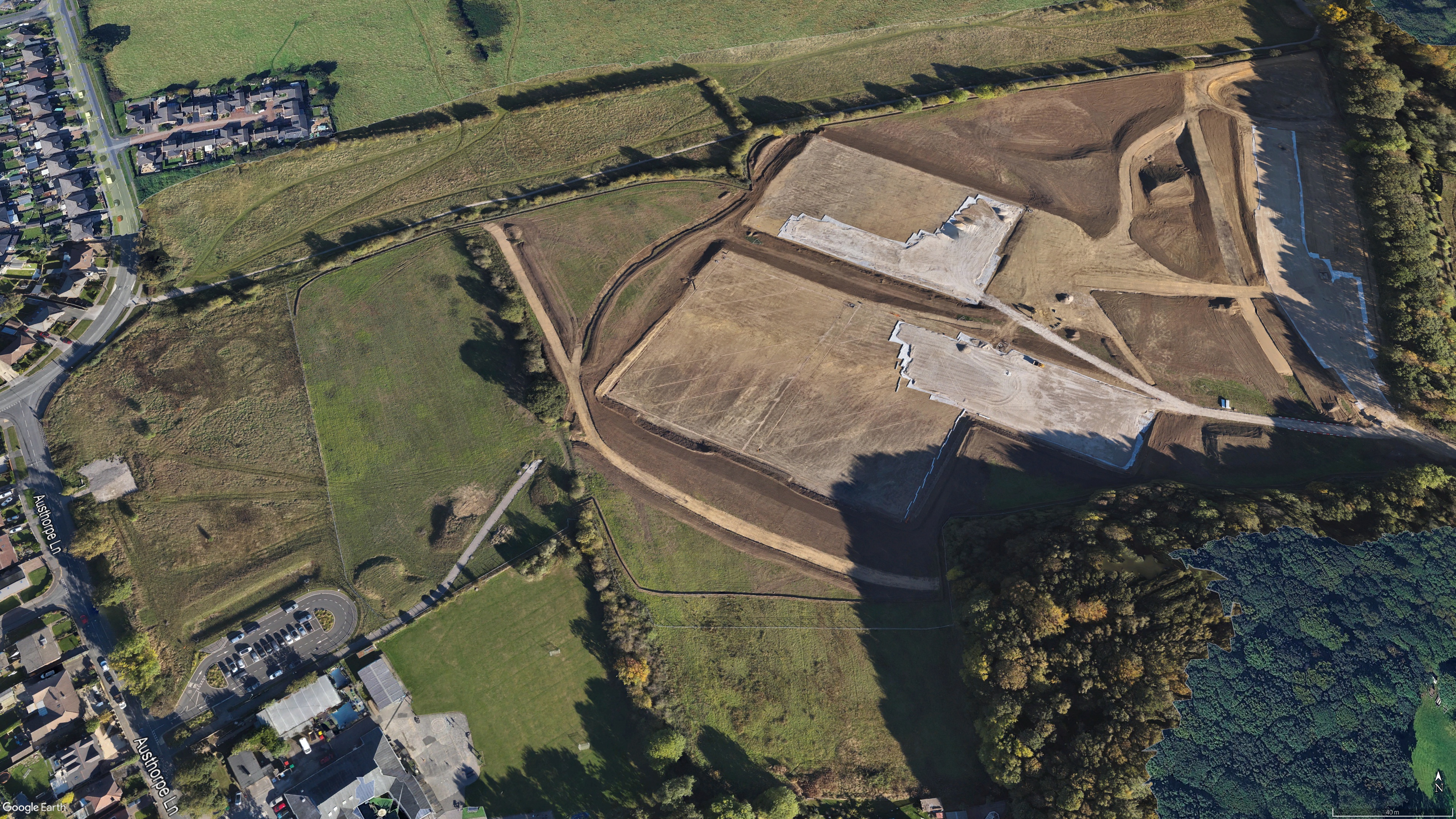
Google Earth Before / After Fader

Use the fade control to compare the historical Google Earth view against the current site overlay. This is a strong client-facing way to show change over time and communicate progress without needing the viewer to understand mapping files.

Green Park before view Green Park after overlay
After overlay: 58%
Before / Google Earth contextAfter / current overlay

Public Project Context

These logos are included as public project context only. The viewer itself is prepared by Vista Metrics for CLS Sports review and does not imply appointment by, or partnership with, the organisations shown below.

Downloads

Supporting files from this capture are available below. Keeping them in one place makes the viewer more useful as a continuing progress record.

3D Browser Model

Compressed model for quick browser viewing and sharing.

Download 3D Model

Full 3D Model

Larger model file retained for higher-detail review where required.

Download Full Model

Orthophoto

Plan-view aerial output for visual progress review.

Download Orthophoto

DSM Preview

Surface model preview for broad terrain and formation context.

Download DSM

KMZ Overlay

Google Earth overlay for viewing the orthophoto in geographic context.

Download KMZ

Before / After Images

Exported Google Earth context images used in the change fader.

Download After Image
This viewer is designed for visual progress communication and project review. Technical measurements, design checks and contractual survey outputs should be produced from the correct full-resolution data in appropriate survey, CAD, GIS or BIM software.